
Track your team's hours — without the paperwork.
Real-time overview, less payroll admin, compliant hour registration. Your team checks in with a tap — no card reader, no hardware.

Setup took an afternoon. Now the whole crew clocks in with one tap and payroll just works.




Tamper-proof records
An objective digital record of every worked minute — defensible in any audit.
Real-time overview
See who works where and for how long — per worker, live.

Less admin
Hours, mileage and leave flow straight into your payroll. No more Excel.


Track & Trace
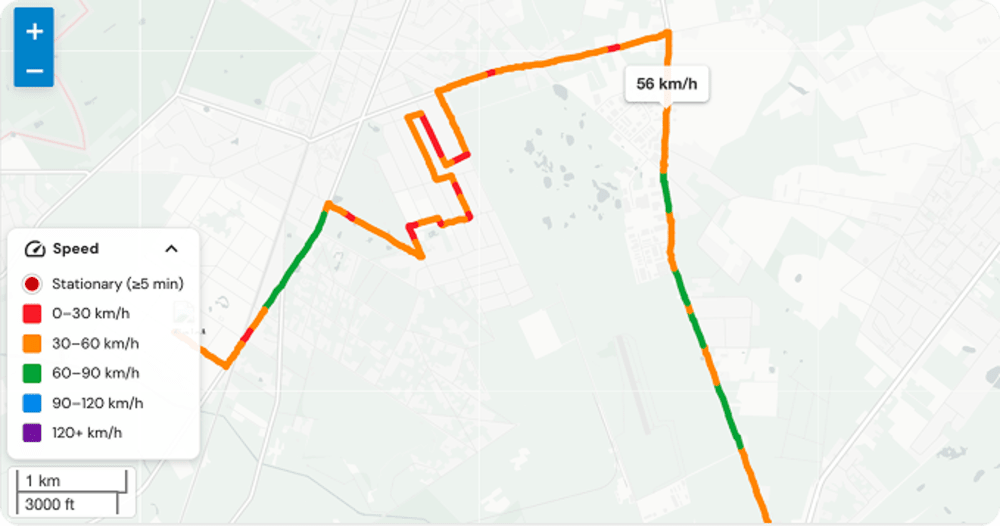
Every trip on the map, coloured by speed — from stationary to motorway.
Live in the same afternoon.
No hardware, no IT project. Sign up, create a project, send your team a link — they check in with a tap. Most teams track real hours before lunch.
Sign up — 2 minutes
Your own workspace immediately. No sales call.

Add your team
Accounts from email addresses; team and first work location ready in under 10 minutes.

They check in, you see all
Hours, location and overview update live in your dashboard.

What's inside Time
All time features
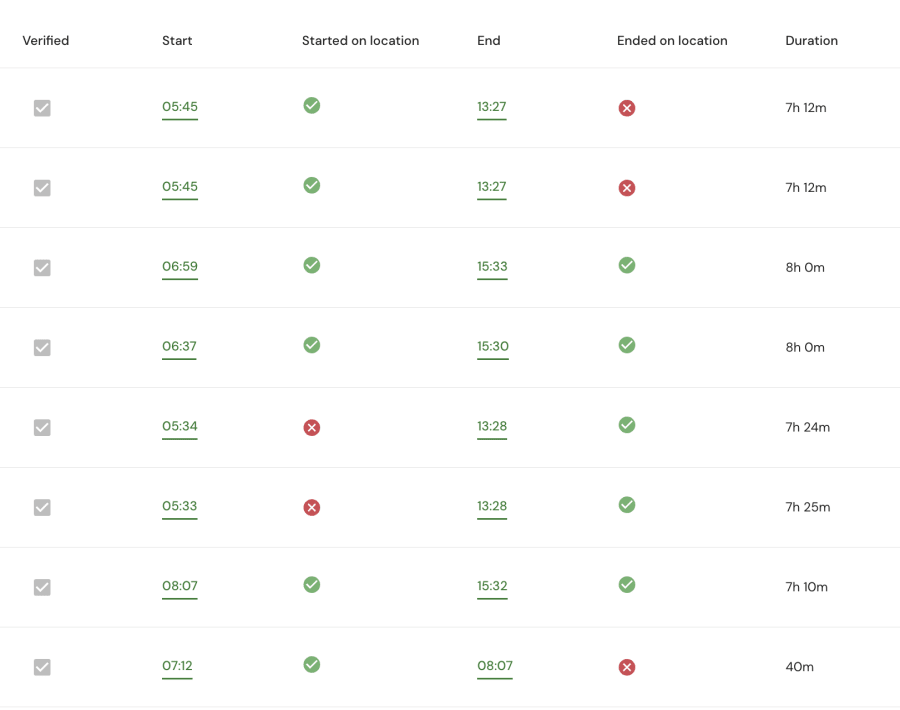
Location-verified check-in
One tap. Location checked, hours linked — no terminal needed.
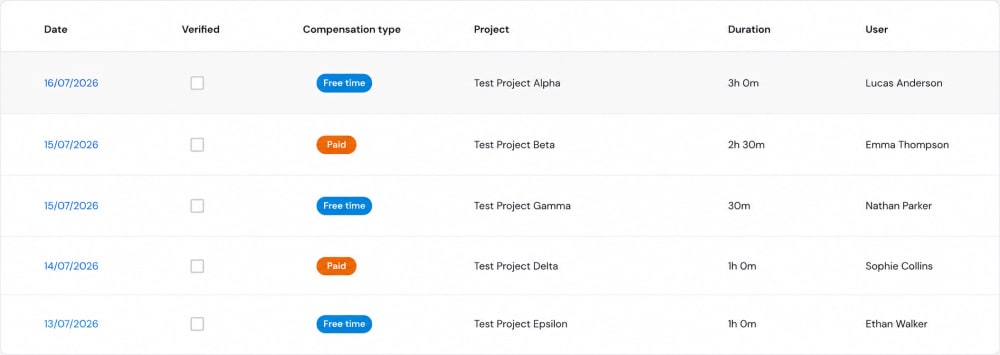
Overtime tracking
Logged the moment it's worked. Payout or time off.
Team messaging
Keep all your team's messages in one place, inside the app. (Coming soon)
Leave & absences
Custom absence types, digital sick notes, live balances.
Navigate to site
Project address in the app. One tap opens navigation.

Payroll export
Hours export clean — straight to your payroll provider.
Project & cost control
From hours to full control
A separate set of plans gives you full control of every job — check-in and out at work, keeping an eye on your crew, project budgets, subcontractors and cost control.
In detail
A closer look at what wins deals
The feature groups that come up in every conversation — told in full.
Time & attendance that actually adds up
The heart of Done-it. Your team checks in from their phone, GPS confirms the location, and every worked minute lands against the right project — ready for payroll.


One-tap check-in
No card readers, no terminals. Employees clock in from the app they already have in their pocket.
Location check
Each entry is location-verified, so there's no buddy-punching and no rounding up of hours.
Live attendance
See who's working where, in real time, per project and per client — not at month-end.
Tamper-proof by default
Every minute is logged digitally and tamper-proof — an objective record you can defend in any audit or dispute.
Teams cut around 5 hours a week of admin on hours and payroll prep.

Vehicles & expenses — the features competitors skip
The questions that come up in every sales conversation. Mileage, expenses and vehicle tracking, captured in the field instead of reconstructed from a pile of paperwork weeks later.

Mileage, your way
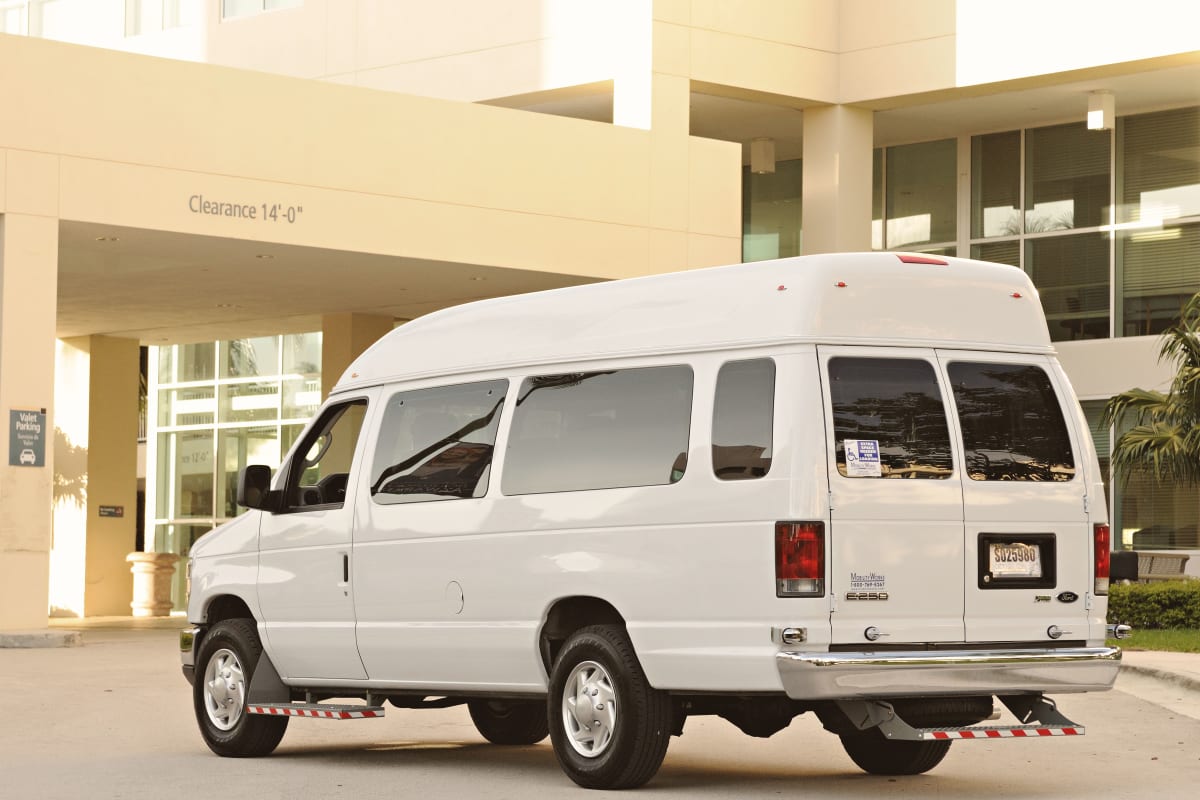
Workers log kilometres manually — transport type (car, public transport, bike), driver or passenger. Every km is costed to the job.
Expense management
Expenses captured in the field and tied to the project, instead of chased down at month-end.
Cost visibility per project
Hours, mileage and expenses roll up into one clear cost picture, live.
Vehicle Track & Trace
Paid optionKilometres measured automatically by GPS — no manual logging. Keep an eye on the fleet and link vehicle use to the jobs it served.
The differentiator small businesses rarely get this simply — and the reason teams switch.
Everything in one place
A quick look at everything Done-it does
Scan the full picture first — then dive into the ones that matter to you below.
Start free. Upgrade as you grow.
Time Zero is free forever. Paid plans add unlimited use; Project plans add job costing. 30-day trial on every paid plan.
Time & operations
Start here for compliance
- Mobile & desktop time tracking
- Up to 4 users
- Up to 5 work locations
- Holiday, absence & overtime
- 50 registrations / user / month
- Pay only for active users
- Everything in Time Zero, unlimited
- Up to 10 work locations
- Irregular clock-in/out on map
- Expense management
- 5-year data storage
- Pay only for active users
- Everything in Time Basic
- Unlimited work locations
- Full open API
- Employee documents
- Navigation to work sites
Project & cost control
Full control of every job
Project Basic
Project & cost control
- Everything in Time Basic
- Project management (budget)
- Subprojects
- Subcontractor management
- Extra work & materials
- Everything in Project Basic + Time Pro
- Transport linked to projects
- Employee documents
- Full productivity suite
- Priority support
Project plans cost more because they give you full control of every job, not just time registration: keeping an eye on your crew and stopping time cheating, plus cost control, subcontractor management, project budgets and extra-work tracking. You're paying for control and profitability, not just more features.
Full details on the pricing page.
Answers before you ask
The questions every team has before signing up — answered right here
Most teams are live the same afternoon — sign up, create a project, invite your team. No hardware, no IT project.
Time plans cover time registration and daily operations. Project plans add full control: cost control per job, subcontractors and project budgets.
Yes — data is hosted in the EU with strong encryption, regular backups and a dedicated Data Protection Officer.
Yes — Time Zero is free forever for up to 4 users, with the core tracking features. Paid plans add unlimited use and more.
No — Done-it runs on the smartphones your team already carries. No badges, terminals or card readers to buy or maintain.
Hours, overtime, mileage and leave export to a clean file your payroll provider can read in one click.
Yes — add subcontractors to a project and track their presence and hours alongside your own crew, in the same overview.
Need more than time tracking?
If you need to manage projects & budgets, track project deadlines, see who's working where across sites, organise work across multiple locations — that's Project & cost control.
Start with Done-it today
Free with Time Zero, or 30 days full trial — no card. Your whole team is tracking the same afternoon.